
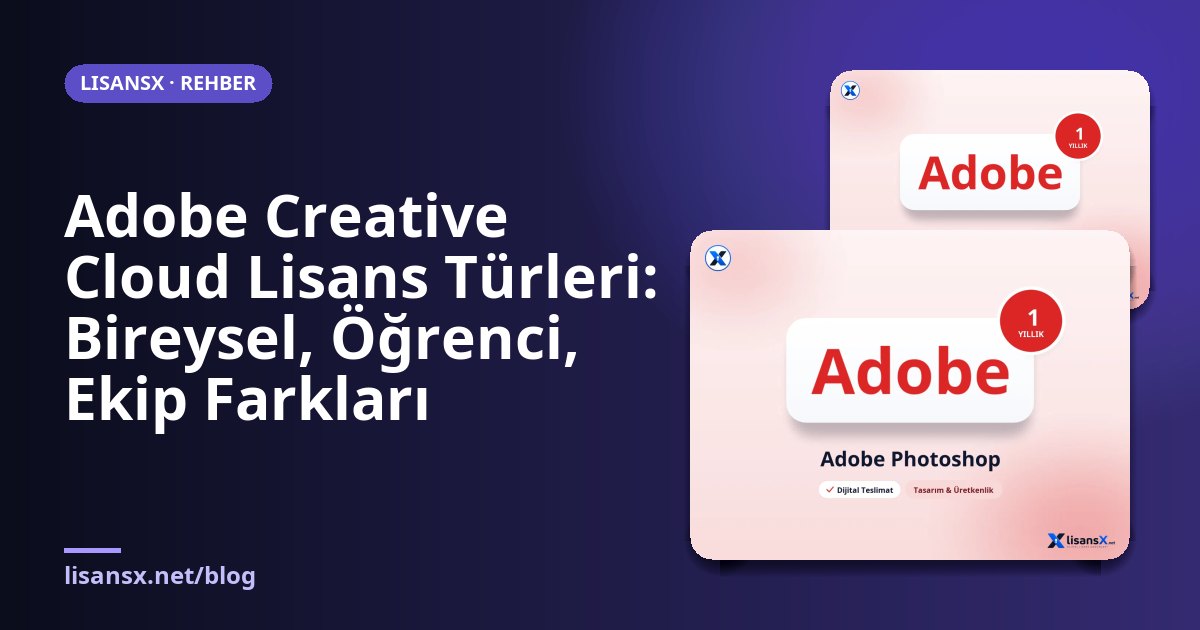
Adobe's subscription model offers a wide range of options, from a single application to complete packages. Among so many options, the most confused topic is license types: personal, student and teacher, team and enterprise plans have similar names, but their usage rights and management features differ. Choosing the wrong license can lead both to unnecessary cost and to use that violates the license terms.
In this article we compare Creative Cloud license types in plain language. This is not an article describing what each application does; our subject is who the license belongs to, who can use it, and what it covers. Since Adobe often updates plan names, packages and terms, always check the official plans page for the exact scope.
The basic distinction: personal license or business license?
Adobe licenses are based on two principles. The first is individual licenses, tied to a person and used with an Adobe ID. The second is team and enterprise licenses, where an administrator assigns seats to users and they are managed centrally. The biggest difference between the two structures is management: with a personal license everything sits in your account, while with a team license the license belongs to the company, and when an employee leaves, the seat can be reassigned to someone else.
This distinction also indirectly affects the right to commercial use. Student and teacher licenses are generally intended for educational use and may not be suitable for commercial projects. Check this restriction in the terms before you buy.
Personal licenses
Personal plans fall into two main groups: single-application plans and all-applications plans.
- Single application: Covers just one product, such as only Photoshop, only Illustrator or only Acrobat. It makes sense if you only edit photos. Adobe Photoshop 1-year is an option designed with this logic in mind.
- All applications: Gives most of the Creative Cloud applications together, including Photoshop, Illustrator, Premiere Pro, After Effects and others. For a designer, video editor or content creator working in several areas, it is generally more economical than buying them one by one.
A personal plan usually belongs to a single user, and sign-in is possible on a limited number of devices at the same time. This device limit also shows that the plan cannot be shared: it violates the terms for two different people to use one license.
Student and teacher licenses
Adobe offers discounted plans to students and teachers at educational institutions. To access these plans, proof such as a school email, a student certificate or school verification is required. The scope is mostly similar to the personal all-applications plan, but the differences are at these points:
- The purpose of use may be limited to education; commercial work is subject to additional conditions.
- There is a verification process, and re-verification may be requested after a certain period.
- Student versions may switch to the standard plan after graduation.
For someone not connected with education, going through a student plan can cause problems both ethically and in terms of license conditions. Verify that you are genuinely eligible for an education license.
Team licenses (Creative Cloud for Teams)
The team plan is designed for small and medium-sized businesses. Its main difference is management:
- Admin console: Adding and removing seats and assigning users are done from a single screen.
- Centralized billing: One invoice, one payment point.
- Shared resources: Common libraries, team folders and collaboration tools.
- Support and security: Usually advanced support and enterprise management options.
In a design team of five, ten or more people, if everyone takes an individual subscription, billing and knowing who uses what become a messy structure. For this reason, despite the price difference, the team plan is often the sensible choice.
Comparison table
| Feature | Personal | Student / Teacher | Team |
|---|---|---|---|
| Who it is for | Single user | Verified students and educators | Multiple employees |
| License owner | Person | Person (subject to education conditions) | Company |
| Management | Your own account | Your own account | Admin console |
| Commercial use | Generally permitted | Subject to conditions, check them | Designed for business use |
| Verification | None | Required | Enterprise account registration |
| Seat transfer | None | None | Admin can reassign |
Which license suits which profile?
- Freelance designer: The personal all-applications plan if they work with several applications, or a single-application plan if they work with just one or two.
- Entrepreneur managing social media: Lighter tools may be sufficient instead of the full Creative Cloud; for example, Adobe Express yearly is practical for quick visual and short video work.
- Design student: A student plan, with a plan to move to a standard license after graduation.
- Agency and small company: The team plan.
- People who only work with PDFs: A single application or a perpetual license such as Adobe Acrobat Pro DC 2020 (lifetime) may be considered; however, perpetual versions do not include all current features.
Subscription or perpetual license?
Adobe's current products come with a subscription model: as long as you keep paying, you use the applications, and you automatically receive every new version. Older perpetual licenses are bought once, but they receive no updates and do not include most cloud services. A perpetual license makes sense if your work is only a fixed and simple workflow, such as PDF editing. If you need photo, video and continuously updated AI features, a subscription is a more consistent path.
When deciding, also consider the duration of use. Taking a monthly subscription for a project lasting two or three months and then stopping is often more flexible than paying for a yearly plan upfront. For a long-term, daily work need, the yearly plan is generally more economical than the monthly one.
Common mistakes in license management
- Shared account use: Everyone on a team using a single personal license runs into Adobe's device limits and may cause the account to be restricted. If the team grows, switching to a team plan is healthier.
- Moving a student license to work: Continuing an education discount after graduation may cause problems during the verification stage.
- Cloud use without a backup: If files exist only in the Creative Cloud storage, access becomes difficult when the subscription ends. Back up important projects separately.
- Wrong package choice: Someone who only uses Photoshop but buys the all-applications plan may be paying more than necessary. The reverse is also true: someone who buys three different applications separately may end up paying more in total than the full package.
For budget management, collect all your applications in one table: which license belongs to whom, when it ends, and whose work it is used for? Even in a small team, this list prevents surprises at renewal time.
Creative Cloud options at LisansX
On LisansX, products that deliver the full package in different ways are listed. If you want to use it on your own account, look at products of the type Adobe Creative Cloud Pro 1-month (to your own account). For use on a single device, there is the Adobe Creative Cloud Pro 1-month 1-device option. Delivery is digital, and the scope of each product is stated on the product page. If you need visuals, Adobe Stock packages are a separate item. For all design tools, you can look at the Design and Productivity category.
What to check before you buy
- Who does the account belong to? Understand whether the subscription will be assigned to your Adobe ID or whether you will be given an account.
- Term and renewal: Monthly, yearly, automatic renewal.
- Number of devices: On how many devices can you sign in at the same time?
- Cloud storage: The amount of storage included in the package.
- Commercial use: If you will use the outputs in client work, make sure the license allows it.
- Official activation: Perform sign-in and installation only through Adobe's official application and website.
Frequently Asked Questions
Can I do client work with a student license?
The purpose of use of education licenses is generally limited to education and personal learning. If you will do commercial work, check in Adobe's agreement whether this is permitted under the license terms; if you are unsure, choose a standard plan.
Can two people use one personal license?
No. A personal license is for a single user. If more than one person will use it, each needs their own license, or a team plan is required.
Is there a mandatory number of users to switch to a team plan?
Plan terms can change over time; for small teams, the team plan can be started with a few seats. Verify the current minimum from Adobe's plan page.
What happens to my files when the subscription ends?
Your local files remain on your computer; however, your right to open the applications and access files in cloud storage may be restricted. It is a good idea to back up your cloud files before the term ends.