
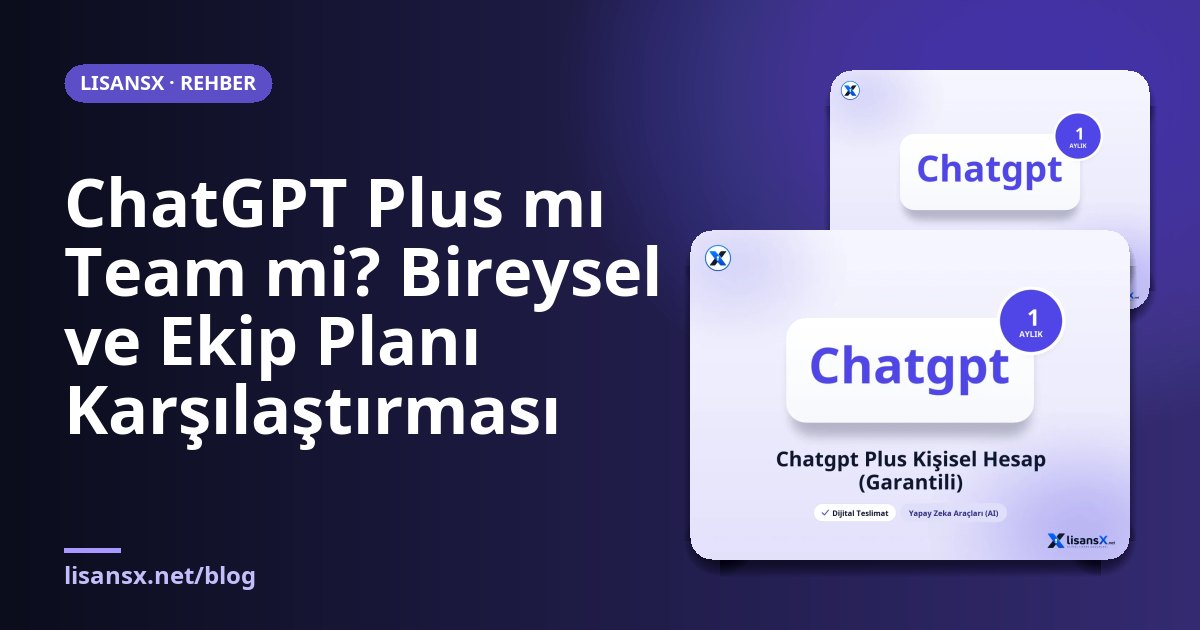
Anyone who starts using ChatGPT for everyday work eventually runs into the same question: should I buy a Plus subscription on my own, or move to a team plan together with my colleagues? Both give you access to powerful models, but the difference is not only price and number of users. Data management, shared workspaces and administrator controls also shape the choice.
In this article we compare the two plans from a practical point of view. OpenAI updates plan names and contents from time to time; the team plan is called "Team" in some periods and "Business" in newer naming. For this reason, rather than a fixed feature list, we focus on the main differences that will help you decide. Always check the official plan page before you buy.
Who is ChatGPT Plus for?
Plus is an individual plan for one person. Compared with the free version, it offers higher usage limits, access to advanced models, file uploads, image generation and tools such as data analysis. Freelancers, students, content creators and entrepreneurs who run their own business will often find it sufficient.
The biggest advantage of Plus is simplicity: you sign up with your credit card or with ready-made account options, and you do not manage shared settings with anyone. Its drawback is that collaboration features within a team are limited. If you want to share a chat or a custom-configured assistant properly with a colleague, you may run into restrictions on an individual account.
What does the team plan change?
A team plan is a structure in which several users are gathered in a single workspace. Billing is usually done per user, and a minimum number of users is required for the plan. The main points that stand out compared with the individual plan are these:
- Shared workspace: Custom assistants, shared chats and common resources are kept in one place.
- Admin panel: Adding and removing users and setting permissions is done from a central location.
- Data approach: One of the main promises of business plans is that data in the workspace is not used for model training by default. On the individual plan, you manage this preference from your own settings.
- Higher limits: The usage allowance per user is generally set wider than Plus.
If you handle sensitive content such as internal documents, customer information or contract drafts, this point alone can be a sufficient reason to change plans.
Side-by-side comparison
| Criterion | ChatGPT Plus | Team plan |
|---|---|---|
| Number of users | One person | Multiple users, with a minimum-user requirement |
| Billing | Individual subscription | Per user, centralized billing |
| Admin control | None | Admin panel, user management |
| Collaboration | Limited sharing | Shared workspace |
| Data privacy | Managed from settings | Business data protection by default |
| Usage limit | Higher than the free plan | Generally higher than Plus |
| Setup time | Minutes | A few steps, invitations required |
The values in this table may change as the plan provider updates its offerings; always refer to the official source for binding information.
When is Plus enough?
If you fit one of the profiles below, the individual plan will most likely meet your needs:
- You work alone and do not share your chats with anyone.
- You use AI for writing text, coding help, research and idea generation.
- You are comfortable managing your privacy settings yourself.
- Your monthly usage is concentrated in certain periods, so a flexible, short-term subscription suits your work.
This last point is important: because Plus is a monthly renewing subscription, you can use it for a few months for an intensive project and then stop. On LisansX, short-term options such as ChatGPT Plus Personal Account (1 month, guaranteed) suit this kind of use. For those with a tighter budget, lighter plans such as the ChatGPT Go personal account are also available, but their limits differ from Plus, so clarify your needs beforehand.
When should you move to a team plan?
Individual accounts are not suitable for the shared use of a small team. Consider a team plan if you see these signs:
- Three, five or more people are repeatedly writing similar prompts.
- Customer data or internal company information is being given to AI and it needs to be kept on record.
- You want to be able to cut off access immediately when an employee leaves.
- The accounting department wants to see a single invoice.
Also, when everyone in a small team buys an individual Plus subscription, it creates an unmanageable pile of accounts. Questions such as who renewed which subscription and when, which card was used, and who keeps the account when an employee leaves are answered automatically on a team plan.
How to calculate the cost
When comparing the monthly cost per person, do not look only at the list price. Take these into account as well:
- Unused seats: On a team plan, everyone becomes a paid seat; paying for a full seat for someone who logs in twice a month can be expensive.
- Productivity gains: Shared custom assistants and a shared prompt library noticeably shorten repetitive tasks.
- Risk cost: A data leak or a document uploaded to the wrong account can cost far more than the price difference of a subscription.
It makes sense to run a small trial: have two or three people move to the team plan, monitor usage and sharing habits for a month, and then make a lasting decision.
API use is a separate topic
If you are developing an application or connecting your own tools to ChatGPT, a subscription plan is not the right tool for that job. Both Plus and the team plan are for the chat interface; programmatic access is done through the API, on a pay-as-you-go model. For this purpose, LisansX offers products such as the OpenAI 4o API balance. Not confusing the two structures is important for both your budget and your technical architecture.
Student and education plans
There are also plans aimed at educational institutions and students. Options such as the ChatGPT Edu personal account are worth considering for long-term academic use. The terms and scope of these plans are stated on the product page; before buying, read whether they match your way of using the service.
If you want to see all AI products in one place, you can browse the AI Tools category. On LisansX, delivery is digital; after payment, account details or an activation guide are sent to you.
Common mistakes when choosing a plan
The first mistake is choosing a plan on the assumption that "the most expensive one is the best." If half of the team opens AI once a week, buying the same seat for everyone needlessly inflates the budget. The second mistake is the opposite: ignoring privacy needs. An employee who pastes a customer list or a contract text into an individual account may unknowingly break the company's data policy.
The third mistake is not taking usage limits into account. Long documents, image generation and heavy tasks such as code execution consume limits quickly. If you will use it intensively, check in the first week whether you receive limit warnings; if warnings appear, upgrading the plan costs less than splitting your workflow. The fourth mistake is not putting shared rules in writing when setting up a team: clarifying in a one-page guideline which types of data may be given to AI is just as important as the plan itself.
A short checklist for deciding
- How many people will use it? If it is one person, Plus; if three or more, the team plan becomes relevant.
- Will sensitive data be processed? If yes, the data protection approach of the team plan should be the priority.
- Is there a need for a shared assistant or a common prompt library?
- Are admin control and centralized billing essential?
- Is usage constant, or is it seasonal?
Frequently Asked Questions
Is a team plan sensible for a team of two?
The minimum number of users in the plan terms determines this. If you meet the requirement and shared workspace and data protection matter to you, it may make sense. If there are only two people and no sensitive data, two separate Plus subscriptions will also do the job.
When I move from Plus to a team plan, will my chat history carry over?
Individual accounts and workspace accounts are separate structures. Do not assume your history will be transferred automatically; export and back up important chats and your custom configurations.
Can an admin see employees' chats on a team plan?
This depends on the scope of the plan and the company settings. It is best to state openly to the team from the start what transparency is expected in workspace use; verify the full extent of admin permissions from the official documentation.
Is it acceptable to share an account with others?
Individual plans are intended for one person. If more than one person will use it, choose a multi-user solution such as a team plan that complies with the terms of service.